Deploy AI agents to AWS and GCP in minutes, not weeks. Learn how Defang simplifies cloud infrastructure for production agent deployments with a single command.
TL;DR
Running AI agents at scale requires robust cloud infrastructure. AWS and GCP offer the best foundation for production deployments and self-hosted client installations. Defang makes deploying to these platforms as simple as running one command, handling all the infrastructure complexity automatically.
Why AI Agents Need Different Infrastructure
AI agents aren't like traditional web applications. They run continuously, make autonomous decisions, and often need access to powerful language models. A chatbot might handle one conversation at a time, but an AI agent could be monitoring systems, processing data streams, and coordinating multiple tasks simultaneously.
This creates unique infrastructure requirements. Your agents need reliable compute resources that can scale up during peak loads. They need secure access to LLM APIs without exposing credentials. And if you're deploying agents for clients on their own infrastructure, you need a deployment process that works consistently across different environments.
The stakes are higher too. When an agent fails, it's not just a broken webpage. It could mean missed opportunities, incomplete workflows, or degraded service for your users.
Comparing Modern Deployment Methods for AI Agents
Let's look at how different deployment approaches handle the specific needs of AI agents in 2026.
Container Platforms and Serverless
Container platforms like Docker provide consistency across environments. You package your agent with all its dependencies, and it runs the same way everywhere. This matters when you're deploying the same agent to multiple client environments.
Serverless functions work well for event-driven tasks, but AI agents often need to maintain state and run continuously. Cold starts can interrupt agent workflows, and timeout limits can cut off long-running operations.
Cloud Provider Native Services
AWS and GCP have become the gold standard for production AI agent deployments. Here's why they stand out:
✨ AWS offers:
- →ECS Fargate for containerized agents without managing servers
- →Bedrock for managed access to Claude, Llama, and other models
- →RDS for persistent agent state and conversation history
- →VPC isolation for secure multi-tenant deployments
✨ GCP provides:
- →Cloud Run for auto-scaling containerized workloads
- →Vertex AI for managed model access and fine-tuning
- →Cloud SQL for reliable data persistence
- →Built-in security and compliance controls
Both platforms give you the infrastructure reliability that AI agents demand. When you're deploying agents for enterprise clients, they often require AWS or GCP for compliance and security reasons.
Cloud providers have also introduced agent-specific services like AWS Bedrock AgentCore and GCP Vertex AI Agent Builder. These are newer offerings still maturing—customers are watching them closely but may hesitate to commit, especially if they need to deploy agents across multiple clouds for different customers.
The Self-hosted Challenge
Many clients need agents running in their own cloud accounts. This is where deployment complexity explodes. You need to:
- →Set up VPCs and networking correctly
- →Configure IAM roles and permissions
- →Provision databases and storage
- →Set up monitoring and logging
- →Manage SSL certificates and DNS
- →Handle secrets and API keys securely
Doing this manually for each client deployment takes days or weeks. Automating it with traditional infrastructure-as-code tools requires deep cloud expertise.
| Aspect | Traditional Deployment | Defang ✨ |
|---|---|---|
| Setup time | Days to weeks per client | 5 minutes |
| Cloud expertise required | Deep AWS/GCP knowledge | Docker Compose only |
| Infrastructure code | Hundreds of lines of Terraform/CloudFormation | One compose.yaml file |
| Multi-client deployment | Manual configuration per account | Same command, different credentials |
Why Defang Changes the Game for Agent Deployment
Defang solves the deployment complexity problem by turning your Docker Compose file into production-ready cloud infrastructure. You describe what your agent needs, and Defang handles all the cloud configuration automatically.
Defang provides ready-to-use templates for popular agent frameworks including CrewAI, LangGraph, Mastra, and more—so you can build and deploy production agents using whichever framework fits your needs.
Here's what makes it ideal for AI agents:
One Command Deployment
That single command deploys your agent to AWS with proper VPC configuration, load balancing, security groups, and monitoring. No CloudFormation templates, no Terraform modules, just working infrastructure.
Managed LLM Access
Add one line to your compose file and your agent gets secure access to AWS Bedrock or GCP Vertex AI:
services:
  agent:
    build:
      context: .
    x-defang-llm: true
    environment:
      MODEL: anthropic.claude-3-sonnet-20240229-v1:0
Defang automatically configures IAM roles and permissions. Your agent can call Claude or other models without managing API keys.
Built-in State Management
AI agents need to remember context across conversations and tasks. Defang's managed PostgreSQL gives you production-ready databases with zero configuration:
services:
  agent:
    build:
      context: .
    environment:
      DATABASE_URL: postgresql://${POSTGRES_USER}:${POSTGRES_PASSWORD}@database:5432/agents?sslmode=require
    depends_on:
      - database

  database:
    image: postgres:18
    x-defang-postgres: true
    environment:
      POSTGRES_PASSWORD: # Set via defang config
This provisions RDS on AWS or Cloud SQL on GCP, with automatic backups and SSL encryption.
Related:Managed PostgreSQL|Managed LLMs
Step by Step: Deploying Your First AI Agent
Let's walk through deploying a real AI agent that monitors GitHub repositories and summarizes pull requests.
Step 1: Generate Your Agent Project
Use your IDE's AI assistant to generate a project. In supported editors like Cursor, Windsurf, or VS Code with theDefang MCP Serverinstalled, simply describe what you want to build in the AI chat:
"Create a GitHub monitoring agent that checks for new pull requests every 5 minutes, uses Claude to summarize the changes, and posts summaries to Slack"
Your IDE's AI will generate a complete project with Dockerfile, compose.yaml, and application code. Alternatively, start from one ofDefang's 50+ sample projects.
Step 2: Configure Your Compose File
Here's what a production-ready agent compose file looks like:
services:
  github-agent:
    build:
      context: .
      dockerfile: Dockerfile
    x-defang-llm: true
    ports:
      - mode: ingress
        target: 8080
    environment:
      MODEL: anthropic.claude-3-sonnet-20240229-v1:0
      GITHUB_TOKEN:
      SLACK_WEBHOOK_URL:
      DATABASE_URL: postgresql://postgres:${POSTGRES_PASSWORD}@database:5432/agent?sslmode=require
    depends_on:
      - database
    healthcheck:
      test: ["CMD", "curl", "-f", "http://localhost:8080/health"]
      interval: 30s
      timeout: 90s
      retries: 3
    deploy:
      replicas: 2
      reservations:
        cpus: "1.0"
        memory: 2G

  database:
    image: postgres:18
    x-defang-postgres: true
    ports:
      - mode: host
        target: 5432
    environment:
      POSTGRES_PASSWORD:
      POSTGRES_USER: postgres
      POSTGRES_DB: agent
    networks:
      - default

networks:
  default:
Step 3: Set Sensitive Configuration
Store API keys and secrets securely:
defang config set GITHUB_TOKEN
defang config set SLACK_WEBHOOK_URL
defang config set POSTGRES_PASSWORD
These values are encrypted and never appear in your compose file or version control.
Step 4: Deploy to AWS
Set your AWS credentials and create a stack:
export AWS_PROFILE=my-profile

# Create a new stack (select AWS, region, and deployment mode)
defang stack new

# Deploy using your stack
defang up --stack=my-aws-stack
Defang provisions everything your agent needs:
- →ECS Fargate cluster for running containers
- →Application Load Balancer for health checks
- →RDS PostgreSQL for state persistence
- →IAM roles for Bedrock access
- →CloudWatch logs for monitoring
- →VPC with proper security groups
The entire deployment takes about 5 minutes. You get a production URL where your agent is running.
Step 5: Monitor and Scale
Check your agent's status:
defang ps --stack=my-aws-stack
View real-time logs:
defang logs github-agent --stack=my-aws-stack --follow
Need more capacity? Update the replicas in your compose file and redeploy:
deploy:
  replicas: 5 # Scale to 5 instances
defang up --stack=my-aws-stack
Defang performs a zero-downtime rolling update.
Related:Monitoring Services|Scaling Services
Deploying Agents for Multiple Clients
Here's where Defang really shines. You can deploy the same agent to different client AWS or GCP accounts with minimal changes.
Client A (AWS)
export AWS_PROFILE=client-a

# Create stack for Client A (select AWS, us-west-2)
defang stack new

# Name it: client-a-prod
defang up --stack=client-a-prod
Client B (GCP)
export GOOGLE_APPLICATION_CREDENTIALS=/path/to/client-b-key.json
export GCP_PROJECT_ID=client-b-project

# Create stack for Client B (select GCP)
defang stack new

# Name it: client-b-prod
defang up --stack=client-b-prod
Each deployment is isolated in the client's own cloud account. They get full control and visibility, while you maintain a single codebase. Stack configuration files are stored in.defang/and can be committed to version control.
Related:Deploy to AWS|Deploy to GCP
Automating Agent Deployments with CI/CD
For production workflows, automate deployments using GitHub Actions:
name: Deploy Agent

on:
  push:
    branches: [main]

jobs:
  deploy-production:
    runs-on: ubuntu-latest
    steps:
      - uses: actions/checkout@v3

      - name: Deploy to AWS
        uses: DefangLabs/defang-github-action@v1
        with:
          defang-token: ${{ secrets.DEFANG_TOKEN }}
          provider: aws
          aws-access-key-id: ${{ secrets.AWS_ACCESS_KEY_ID }}
          aws-secret-access-key: ${{ secrets.AWS_SECRET_ACCESS_KEY }}
          aws-region: us-east-1
        env:
          CONFIG_GITHUB_TOKEN: ${{ secrets.CONFIG_GITHUB_TOKEN }}
          CONFIG_SLACK_WEBHOOK_URL: ${{ secrets.CONFIG_SLACK_WEBHOOK_URL }}
          CONFIG_POSTGRES_PASSWORD: ${{ secrets.CONFIG_POSTGRES_PASSWORD }}
Every push to main automatically deploys your updated agent. The GitHub Action handles secret management and validates the deployment.
Related:GitHub Actions Tutorial
Advanced Agent Patterns
Multi-Agent Systems
Deploy multiple specialized agents that work together:
services:
  coordinator:
    build:
      context: ./coordinator
    x-defang-llm: true
    environment:
      MODEL: anthropic.claude-3-sonnet-20240229-v1:0
      WORKER_URL: http://worker:8080

  worker:
    build:
      context: ./worker
    x-defang-llm: true
    environment:
      MODEL: anthropic.claude-3-haiku-20240307-v1:0
    deploy:
      replicas: 5
The coordinator agent uses Claude Sonnet for complex reasoning, while worker agents use the faster Haiku model for parallel processing.
Agent with Custom Domain
Give your agent a professional endpoint:
services:
  agent:
    build:
      context: .
    domainname: agent.mycompany.com
    ports:
      - target: 8080
        mode: ingress
Defang automatically provisions SSL certificates and configures DNS through Route 53.
Hybrid Cloud Agents
Run the same agent on both AWS and GCP for redundancy:
# Create and deploy AWS stack
defang stack new      # Select AWS, name it "prod-aws"
defang up --stack=prod-aws

# Create and deploy GCP stack
defang stack new      # Select GCP, name it "prod-gcp"
defang up --stack=prod-gcp
Use DNS-based load balancing to distribute traffic across both deployments.
Related:Custom Domains
| Component | Defang Config | AWS | GCP |
|---|---|---|---|
| Agent Application |
services.agent
|
ECS Fargate | Cloud Run |
| Database |
x-defang-postgres: true
|
RDS PostgreSQL | Cloud SQL |
| LLM Provider |
x-defang-llm: true
|
Amazon Bedrock | Vertex AI |
| Load Balancer |
ports.mode: ingress
|
Application Load Balancer | Cloud Load Balancing |
Cost Optimization for Agent Workloads
AI agents can be expensive to run if you're not careful. Here are strategies to optimize costs:
Right-size your resources:
deploy:
  reservations:
    cpus: "0.5" # Start small
    memory: 512M
Monitor actual usage and adjust. Many agents don't need 2GB of RAM.
Use appropriate models:
- →Claude Haiku for simple tasks and high-volume operations
- →Claude Sonnet for complex reasoning
- →Only use Claude Opus when you need maximum capability
Scale based on demand:
deploy:
  replicas: 1 # Development
  # replicas: 5 # Production peak hours
Adjust replicas based on your agent's workload patterns.
💡 Pro Tip
Start with minimal resources and scale up based on actual metrics. Defang makes it easy to adjust resource allocations without rewriting infrastructure code.
Troubleshooting Common Agent Issues
Error: Agent Not Accessing LLM
If your agent can't call Bedrock or Vertex AI, check:
- 1.Model access is enabled in your AWS/GCP account
-
2.The
x-defang-llm: trueflag is set - 3.The MODEL environment variable matches an available model
Solution:Check logs for permission errors:
defang logs agent --stack=my-stack --follow
Error: Database Connection Failures
Ensure SSL mode is set correctly:
environment:
  DATABASE_URL: postgresql://postgres:${POSTGRES_PASSWORD}@database:5432/agent?sslmode=require
Thesslmode=requireparameter is mandatory for managed databases.
Error: Agent Crashes on Startup
Use the AI debugger to diagnose issues:
defang up --stack=my-stack
If deployment fails, Defang's AI debugger automatically analyzes logs and suggests fixes.
Related:Debug Guide
How do I deploy my first AI agent?▼
To deploy your first AI agent with Defang:
- Use your IDE's AI (Cursor, Windsurf, VS Code) to generate your agent project
-
Configure your compose.yaml with
x-defang-llm: truefor LLM access -
Set secrets with
defang config set -
Create a stack with
defang stack new -
Deploy with
defang up --stack=your-stack-name
Related:Getting Started Guide
Can I deploy the same agent to multiple client accounts?▼
Yes! Defang makes multi-client deployments simple. Create a stack for each client and deploy:
export AWS_PROFILE=client-a defang stack new # Name it client-a-prod
defang up --stack=client-a-prod
Each deployment is isolated in the client's own cloud account with full security and compliance. Stack configs in.defang/can be version controlled.
Related:BYOC Overview
What LLM models can I use with Defang?▼
Defang supports managed LLM access through:
- AWS Bedrock:Claude (Sonnet, Haiku, Opus), Llama, Mistral, and more
- GCP Vertex AI:Claude, Gemini, and other models
Set the MODEL environment variable to your chosen model ID. Defang automatically configures IAM roles and permissions.
Related:Managed LLMs
How do I scale my agent to handle more load?▼
Scaling is as simple as updating your compose.yaml:
deploy:
  replicas: 5 # Scale to 5 instances
  reservations:
    cpus: "1.0"
    memory: 2G
Rundefang up --stack=your-stackand Defang performs a zero-downtime rolling update.
Related:Scaling Tutorial
What if my agent needs persistent storage?▼
Defang provides managed databases with zero configuration:
-
PostgreSQL:Add
x-defang-postgres: trueto provision RDS or Cloud SQL -
Redis:Add
x-defang-redis: truefor ElastiCache or Memorystore -
MongoDB:Add
x-defang-mongodb: truefor managed MongoDB
All managed storage includes automatic backups, SSL encryption, and production-ready configurations.
Related:Managed Storage
Start Deploying Your AI Agents Today
The infrastructure for running AI agents at scale doesn't have to be complicated. AWS and GCP provide the robust foundation you need, and Defang makes deploying to these platforms as simple as running one command.
Whether you're building agents for your own product or deploying them for clients, Defang handles the infrastructure complexity so you can focus on making your agents smarter and more capable.
Ready to deploy your first agent? Check out theGetting Started guideor exploresample agent projects. Join theDefang Discordto connect with other developers building AI agents at scale.
The future of AI agents is here. Deploy yours to production in minutes, not weeks.
Related posts
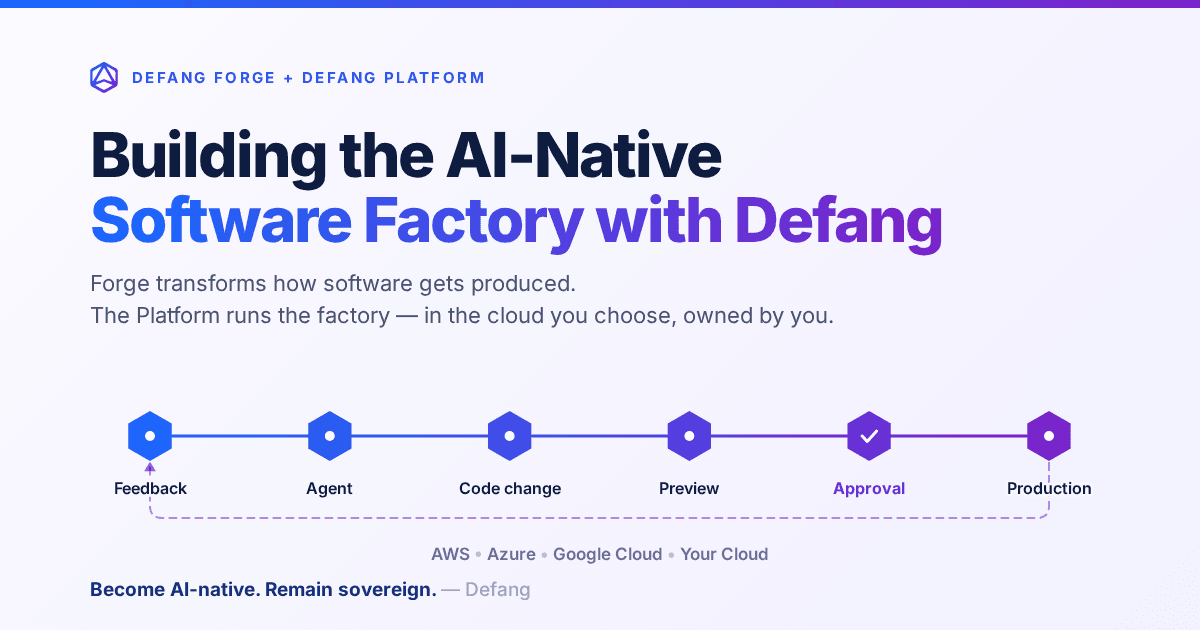
Building the AI-Native Software Factory with Defang
Building an AI-native software factory takes more than a coding agent. It takes people, agents, tools, infrastructure and governance working as one system—and it should belong to you. Here's how Defang Forge and the Defang Platform fit together.
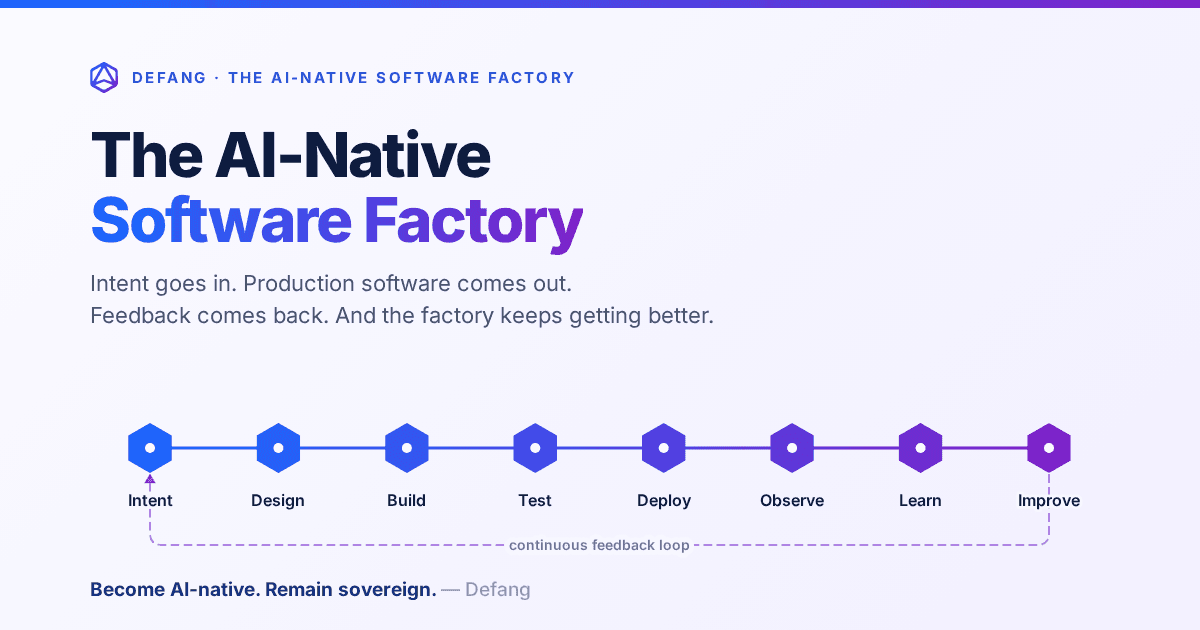
The AI-Native Software Factory
For decades, a true software factory was mostly aspirational. AI changes that: an end-to-end system that continuously turns intent into production software—and production feedback into the next improvement.
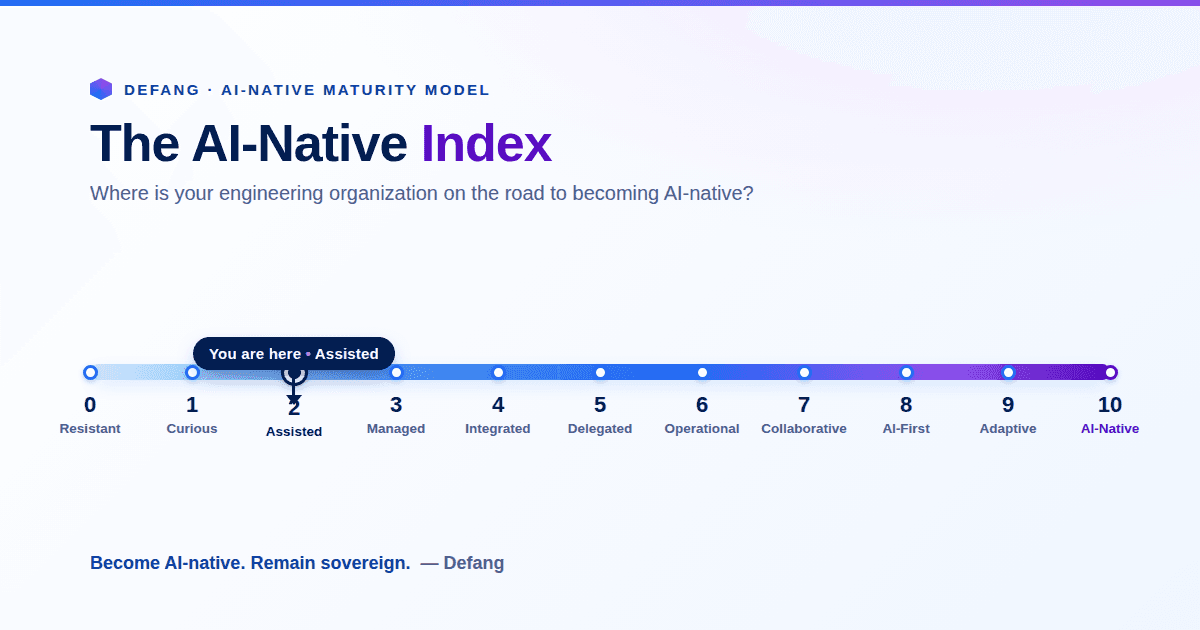
The AI-Native Enterprise: Redesigning Engineering for the AI Era
The next wave of competitive advantage won't come from adopting another AI tool. It will come from redesigning engineering around humans and AI agents working together, while preserving engineering sovereignty.