When I started messing with server programming in the early 2000s, deploying code meant finding a VPS provider, setting up SSH keys, using to copy the program c
When I started messing with server programming in the early 2000s, deploying code meant finding a VPS provider, setting up SSH keys, using scp to copy the program code, and then using SSH to run the server process in a screen session. You’d get hacked, but you had fun.
Then the cloud happened, and apps stopped running on a single VM. We had to deal with a lot more complexity: clusters, databases, load balancers, IAM policies, VPCs.
Infrastructure-as-Code helped, but it didn’t remove that complexity. It just made the tubes explicit, turning hundreds of dashboard clicks into thousands of lines of brittle cloud-specific code.
Writing IaC now feels like writing assembly language. We need an app abstraction and a tool that maps apps onto cloud primitives.
The idea is to define a web app as a single self-contained unit: not just frontend+backend, but also all its dependencies.
Imagine a CLI that takes a standard Docker Compose file and provisions the required cloud infrastructure in your own account. It doesn’t spin up a VM and run docker compose up. It also doesn’t require Kubernetes. Instead, it provisions the cloud’s native primitives: containers, managed databases, load balancers, private networks, DNS, and secrets.
Compose makes sense as the input format because most teams already use it for local development. It captures the app’s services and their relationships, ports, environment, and networking. With Compose, developers describe what the app is, not how it should be wired in a specific cloud. The file is cloud-agnostic and can target different providers.
A Compose service using a known stateful image (e.g. postgres, redis) can be mapped to the managed equivalent (RDS/CloudSQL or ElastiCache/Memorystore), instead of running as a container, so you get backups and HA without changing the app.
The Compose spec also recently added support for declaring AI model dependencies, which can get mapped to managed LLM services (Bedrock/VertexAI).
The last two years I’ve been working on such a tool: Defang. Ideally you’d use the same Compose file you already use and run defang compose up. The Defang CLI calculates the diff, builds the container images (if required), deploys compute services, and maps stateful dependencies onto managed cloud databases, all in your own AWS, GCP, or DigitalOcean account.
Under the hood Defang uses Pulumi (open source). The Defang CLI starts a short-lived container in your cloud account that runs Pulumi from your cloud, against your cloud. After deployment, all that remains is your app and the managed infrastructure. No control plane. No cross-account access. No long-lived runner.
As Joel Spolsky put it, “All non-trivial abstractions are leaky.” This one is no exception. The goal isn’t to hide the cloud. (We already have PaaS for that, though apps tend to get scattered over several vendors.) It’s to avoid lock-in by letting you describe the app once, then map it onto whatever cloud.
Infrastructure should be reliable and safe. Provisioning is rule-based: the Compose file is translated using explicit recipes, selected through the deployment mode (affordable, balanced, HA). The same input produces the same plan. LLMs are used where they shine: interpreting build/runtime failures, and turning thousands of lines of logs into actionable feedback.
With applications increasingly sending sensitive data to LLMs, private deployments are only becoming more important. Startups may build a SaaS, but enterprise customers increasingly want the software deployed in their own cloud account, in their own region, under their own control for compliance. And they might not be on the cloud you built for.
-Lio
Related posts
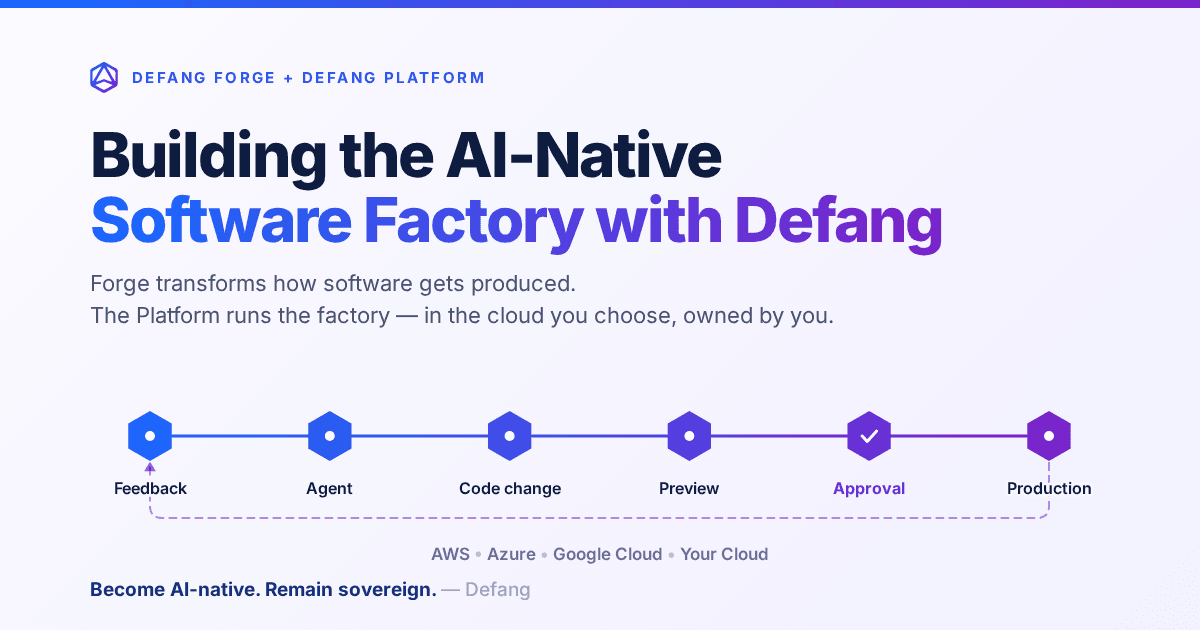
Building the AI-Native Software Factory with Defang
Building an AI-native software factory takes more than a coding agent. It takes people, agents, tools, infrastructure and governance working as one system—and it should belong to you. Here's how Defang Forge and the Defang Platform fit together.
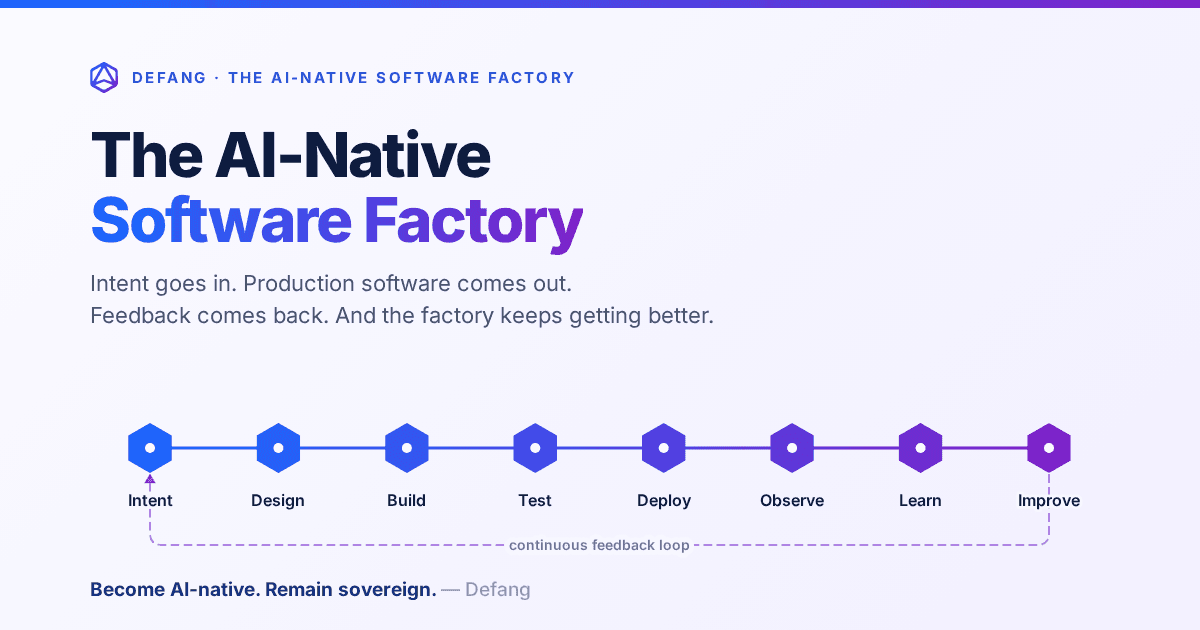
The AI-Native Software Factory
For decades, a true software factory was mostly aspirational. AI changes that: an end-to-end system that continuously turns intent into production software—and production feedback into the next improvement.
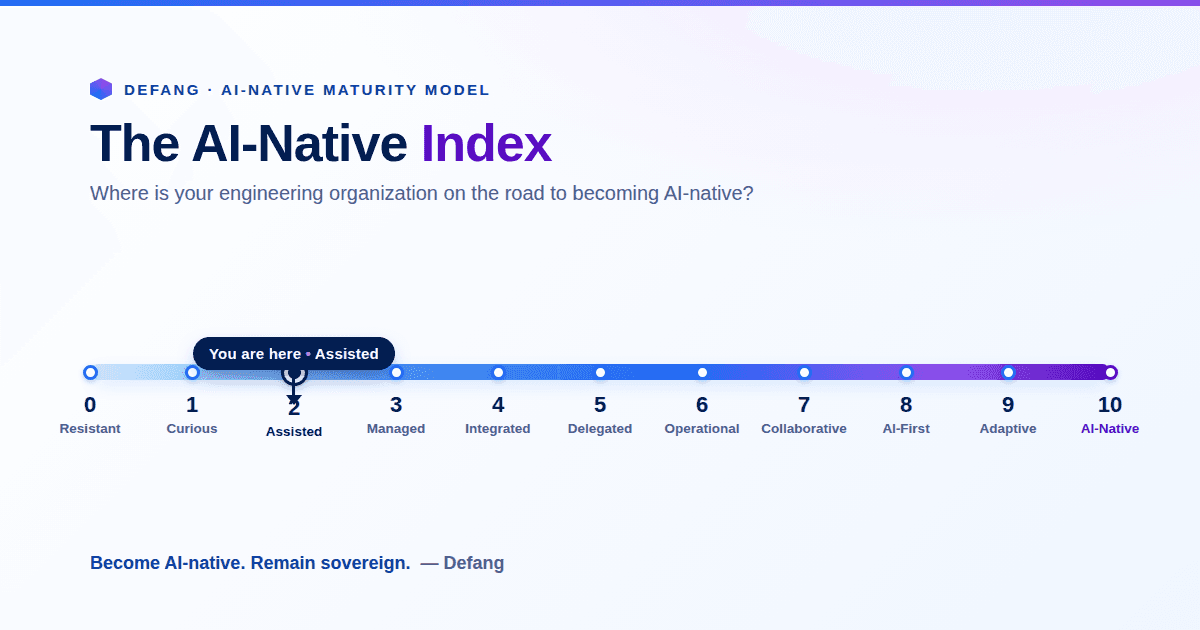
The AI-Native Enterprise: Redesigning Engineering for the AI Era
The next wave of competitive advantage won't come from adopting another AI tool. It will come from redesigning engineering around humans and AI agents working together, while preserving engineering sovereignty.