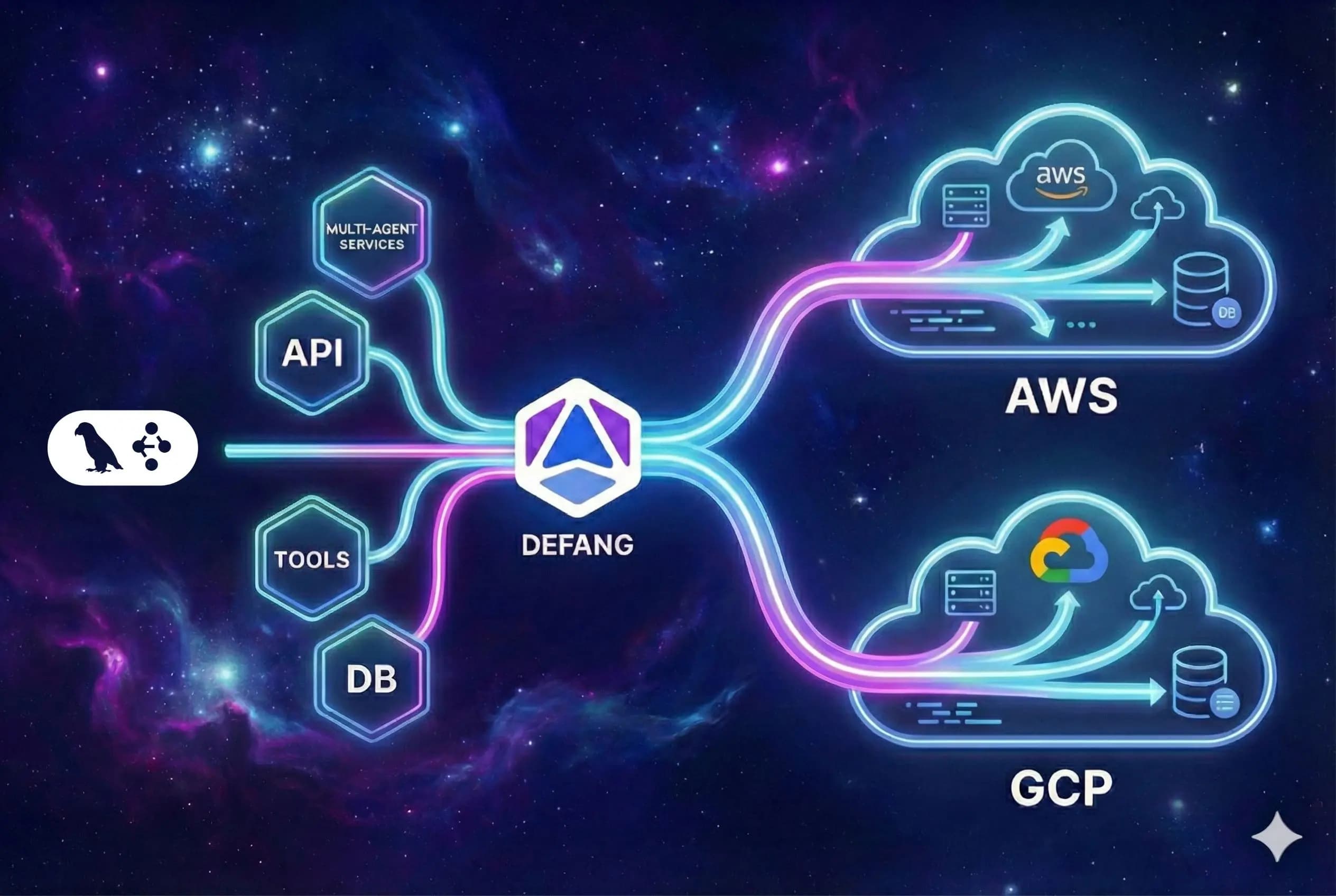
Infrastructure that matches LangGraph's durability
LangGraph is designed for long‑running, stateful agents. Defang gives you the infrastructure foundation they need: predictable deployments, repeatable environments, and storage that survives restarts and rollouts.
Model your whole stack in Compose
Capture your LangGraph API, workers, Postgres, and vector store in a single docker-compose.yml. Defang treats it as the blueprint for every environment, from a local dev setup to production in AWS or GCP.
Use Bedrock and Vertex AI directly
When your LangGraph agents run inside your own AWS or GCP accounts with Defang, they can call managed LLM endpoints such as Amazon Bedrock or Vertex AI through your existing cloud configuration, with no extra network hops or bespoke gateways.
BYOC for sensitive workloads
Your LangGraph agents often touch internal data and APIs. With Defang BYOC, all compute, storage, and logs live inside your own AWS or GCP accounts so you can meet security and compliance requirements.
How it works
Defang does for your LangGraph deployment what LangGraph does for your agent orchestration: it turns complexity into a graph of well‑defined steps driven by a single source of truth.
Define your LangGraph services
Package your LangGraph app (API server, worker, or both) into containers, then add supporting services like Postgres and a vector store. Use a Compose file to declare how they connect.
Deploy with the Defang CLI
From the same repo you use for development, run:
defang compose up --provider=aws
Defang builds the images, provisions infrastructure, configures HTTPS, and exposes your LangGraph entrypoints at stable URLs.
Iterate with confidence
Evolve your graphs and tools while keeping the same deployment workflow. Spinning up staging, canary, or per‑tenant environments is as simple as reusing the Compose file with different configuration.
Start from an Agentic LangGraph template
The Defang LangGraph sample showcases a graph‑based agent that can call tools like Tavily Search. It ships with a ready‑made Compose file and a one‑click "Deploy with Defang" button so you can see the full flow end‑to‑end before wiring in your own tools and graphs.