Infrastructure that keeps up with multi-agent complexity
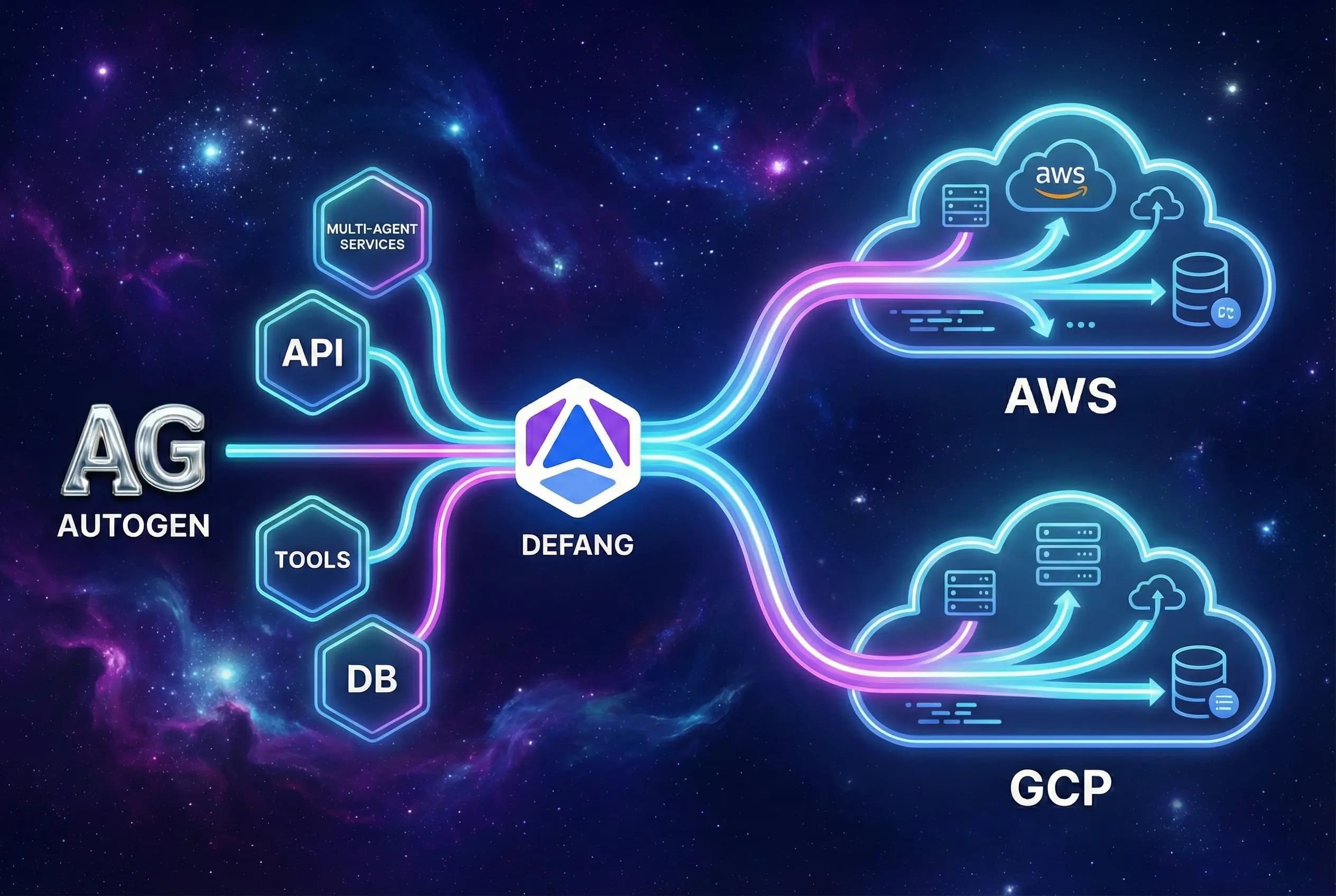
AutoGen shines when multiple specialised agents collaborate, often backed by extra services for tools, storage, and UI. Defang makes it straightforward to deploy all of those moving parts together as one coherent application.
Model your full AutoGen stack
Capture API servers, background workers, databases, and any tool services (such as MCP servers) in your Compose file. Defang treats that definition as the contract for each environment you deploy.
Use managed inference services as tools
Because Defang deploys your AutoGen stack inside your AWS or GCP account, your agents can treat managed inference such as Amazon Bedrock or Vertex AI as tools, using your existing credentials and network configuration rather than relying on additional external gateways.
BYOC for data-sensitive workloads
When your AutoGen agents operate on internal or customer data, you can deploy into your own cloud accounts with Defang BYOC so that data never leaves your controlled environment.
How it works
Defang gives your AutoGen apps a consistent lifecycle: build locally, test in a shared sandbox, then promote to your own cloud with the same configuration.
Containerise your AutoGen app
Package your FastAPI (or other) backend and any workers into Docker images. Use a Compose file to define how these services, databases, and queues connect.
Deploy with the Defang CLI
From your project directory, run:
defang compose up --provider=aws
Defang handles image builds, infrastructure provisioning, HTTPS, and wiring services together under one application.
Operate and iterate safely
Use Defang to spin up staging environments, roll out changes, or retire experiments. For agent‑driven operations, connect your IDE to the Defang MCP server and manage deployments via AI coding agents.
Start from the Agentic Autogen template
The Defang AutoGen sample combines a FastAPI backend, Vite/React frontend, and Mistral‑powered agents into a single service with a ready‑to‑use Compose file. It's a concrete example of how to ship a real multi‑agent app with Defang.